Sometimes customers may report that they never received their return instructions or shipping labels. In many cases the labels have been generated correctly in Route but the customer’s email may have gone to their Junk folder or been buried in their inbox. Fortunately, there are several quick ways merchants can help customers access their return instructions and labels.
Option 1: Resend the Return Instructions Email
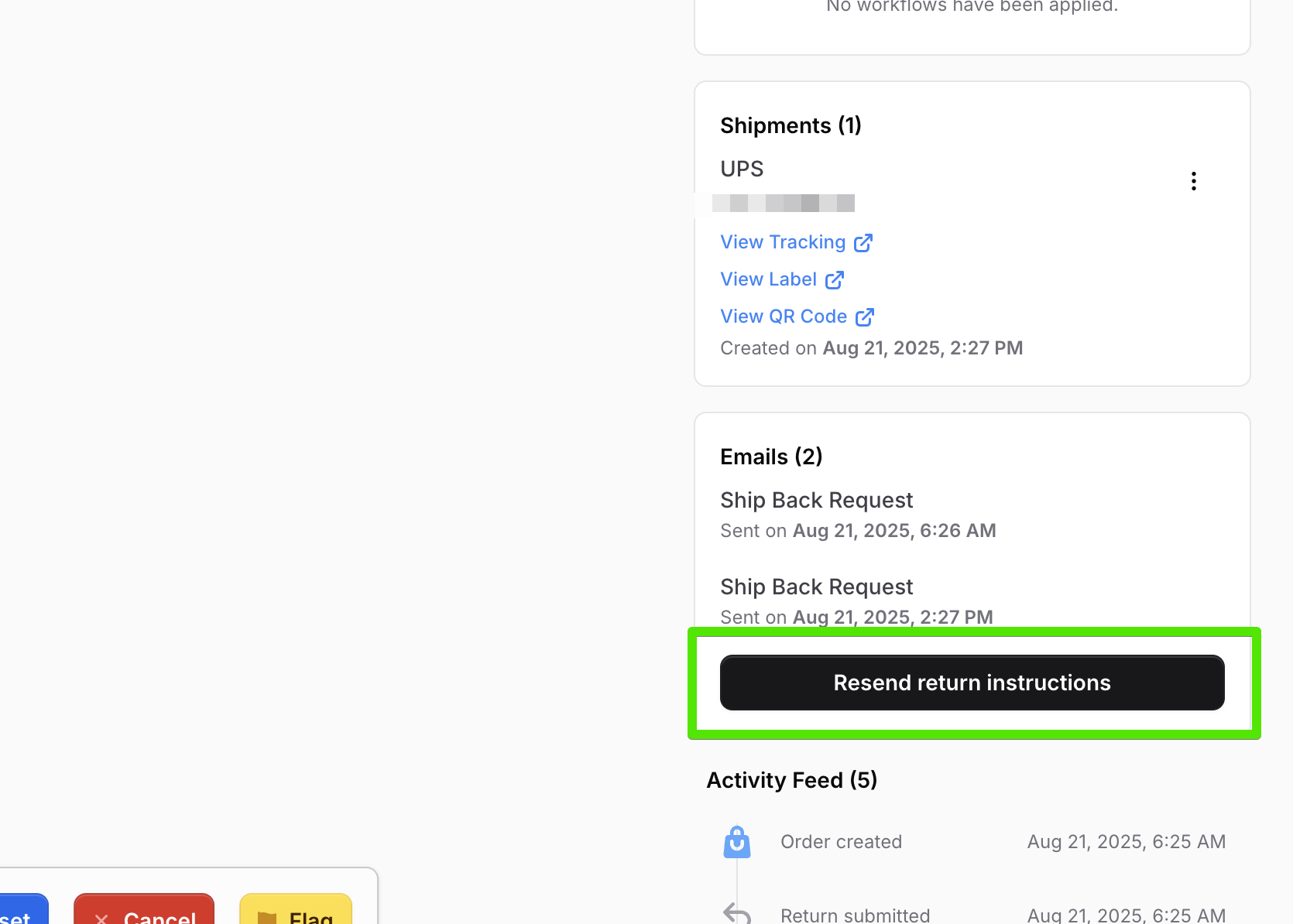
In the Route admin dashboard, you can click the Resend Return Instructions button directly from the return page.
- This action will resend the original ship-back email notification to the customer.
It is the fastest way to make sure the customer has the official return instructions.
Option 2: Direct the Customer to the Return Status Portal
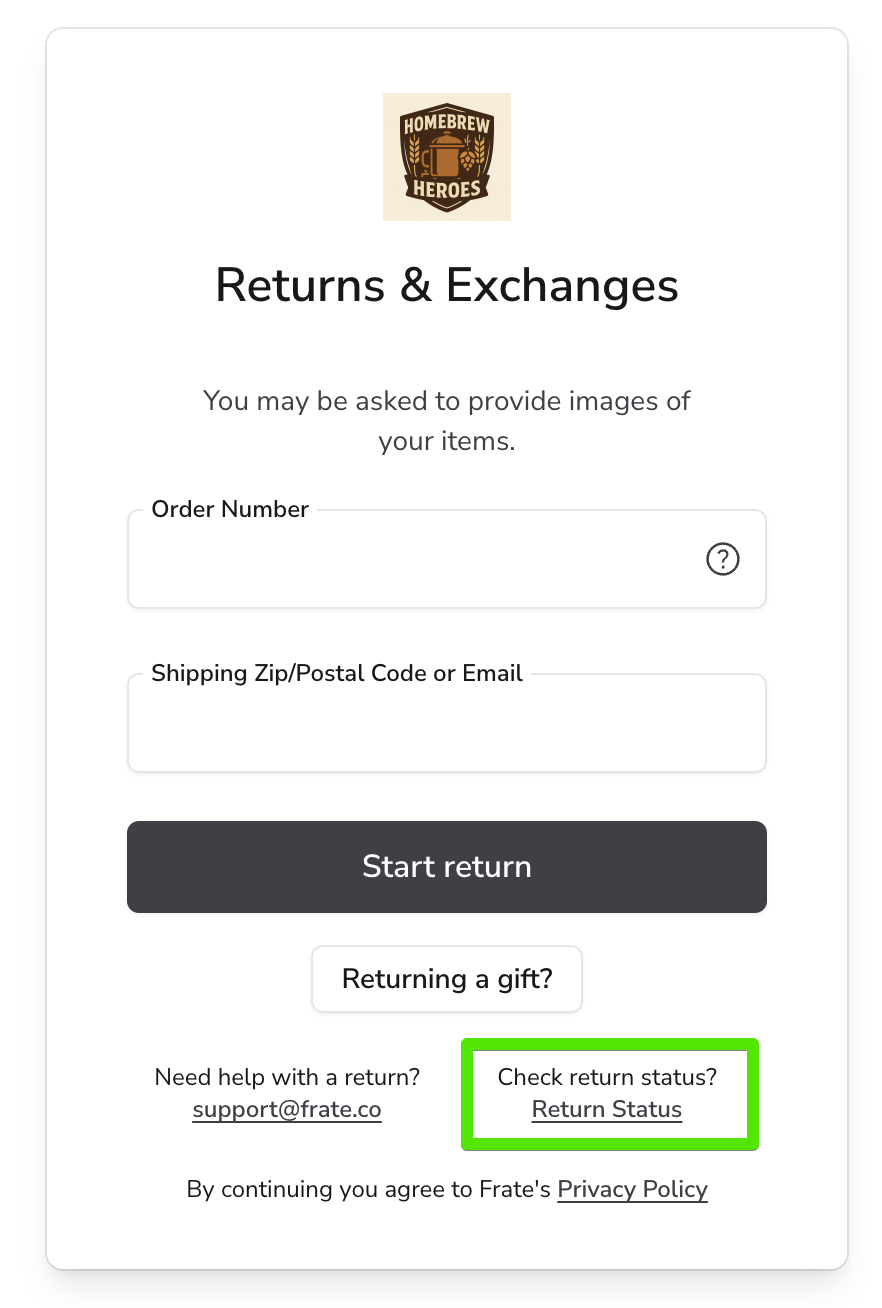
Every merchant using Route has a dedicated Return Status Portal where customers can view their return information and download shipping labels again.
- The portal is typically located at:
exampledomain.fratereturns.com/return-status - Customers simply need to enter their order details to view the status of their return.
- From this page, they can re-download any shipping labels that were already generated.
This option is often the most convenient because it allows customers to manage their own return status without waiting for an email.
Option 3: Manually Download and Send the Label
Merchants also have the ability to manually download the label and send it to the customer directly.
- Go to the return page in Route and click the label link.
- Save the label file to your device.
- Attach the label to a new email and send it to the customer.
This approach works best if the customer is having ongoing email delivery issues or is unable to access the return status portal.
When Labels Were Not Created
If you check the return page in Route and see that no labels were generated (and the customer should not be outside your shipping zones), it may indicate a system issue. In this case, please reach out to Route Support for assistance.
Best Practices for Helping Customers Find Their Labels
- Remind customers to check their Junk or Spam folders for the email.
- Encourage them to use the return status portal for the quickest access.
- Use the manual download option only if the first two methods are not successful.
Summary
If customers claim they did not receive their return instructions or shipping labels, merchants can quickly resolve the issue by resending the return instructions email, directing customers to the return status portal, or manually downloading and sending the label. If labels were never generated, contact Route Support for help.
By following these steps, merchants can provide a smooth returns experience and minimize frustration for their customers.