In Route Returns, each return moves through various states to help merchants manage the return process efficiently. One of the key stages is the Requested state, where merchants have several actions available to evaluate and move the return forward.
Requested State
When a return is in the Requested state, it means the customer has submitted a return request, and it’s now up to the merchant to decide what to do next. The following actions are available:

1. Reset
- What it does: Pushes the return item back to the Requested state.
- When to use it: If you’ve started reviewing the return but want to start fresh.
- Important: This can only be done before any refund has been issued or any exchanges have been fulfilled.
2. Cancel
- What it does: Completely cancels the return and notifies the customer via email.
- Finality: This action is non-reversible, so be sure before confirming.
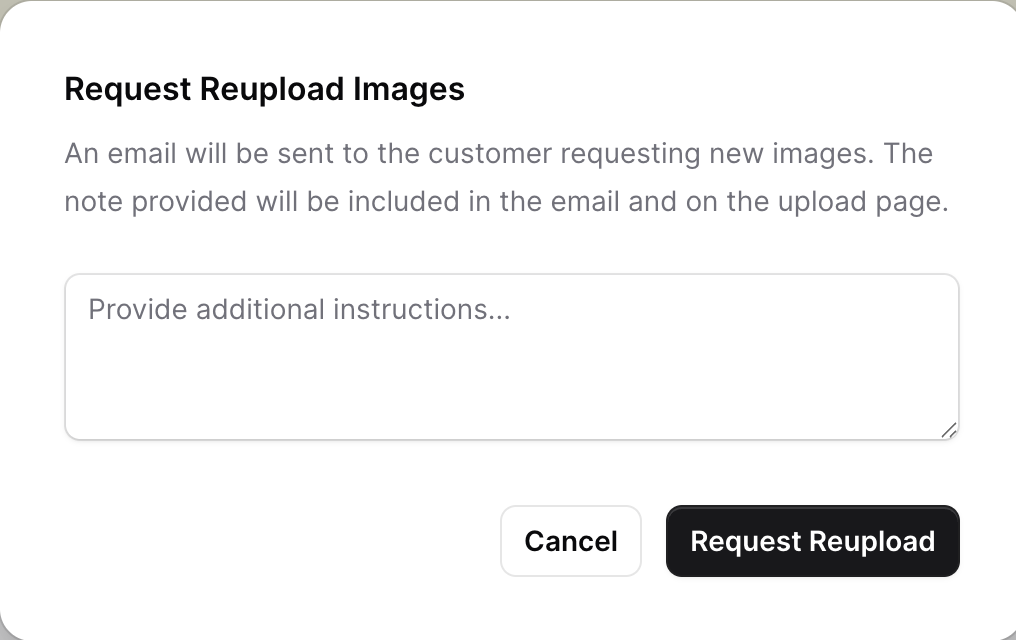
3. Reupload
- What it does: Sends an email to the customer requesting new images for verification.
- Customization: You can include a personalized message in the email to clarify what needs to be shown in the new photos.
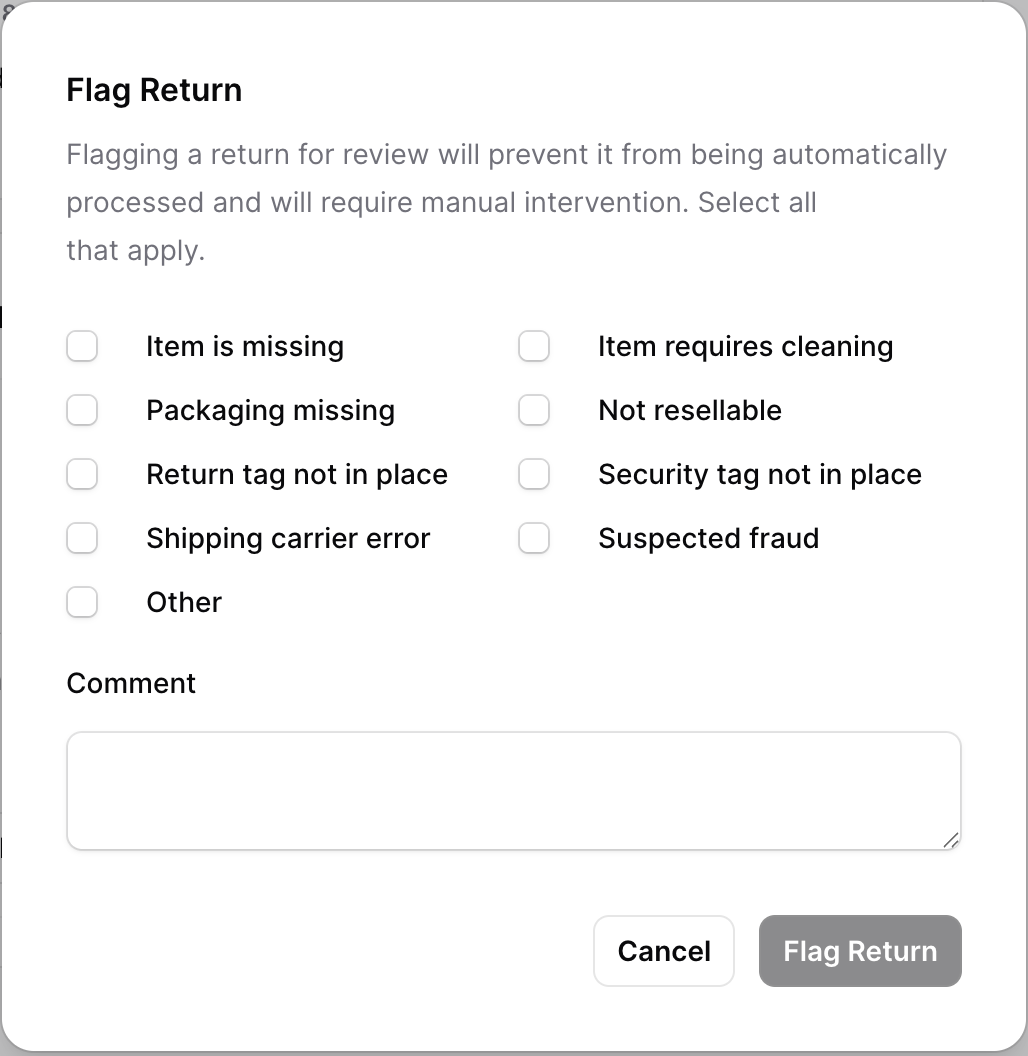
4. Flag
- What it does: Temporarily halts all automations on the return and marks it for manual attention.
- Use cases: Choose from a list of flag reasons
- Additional info: You can leave a note explaining the issue for future reference.

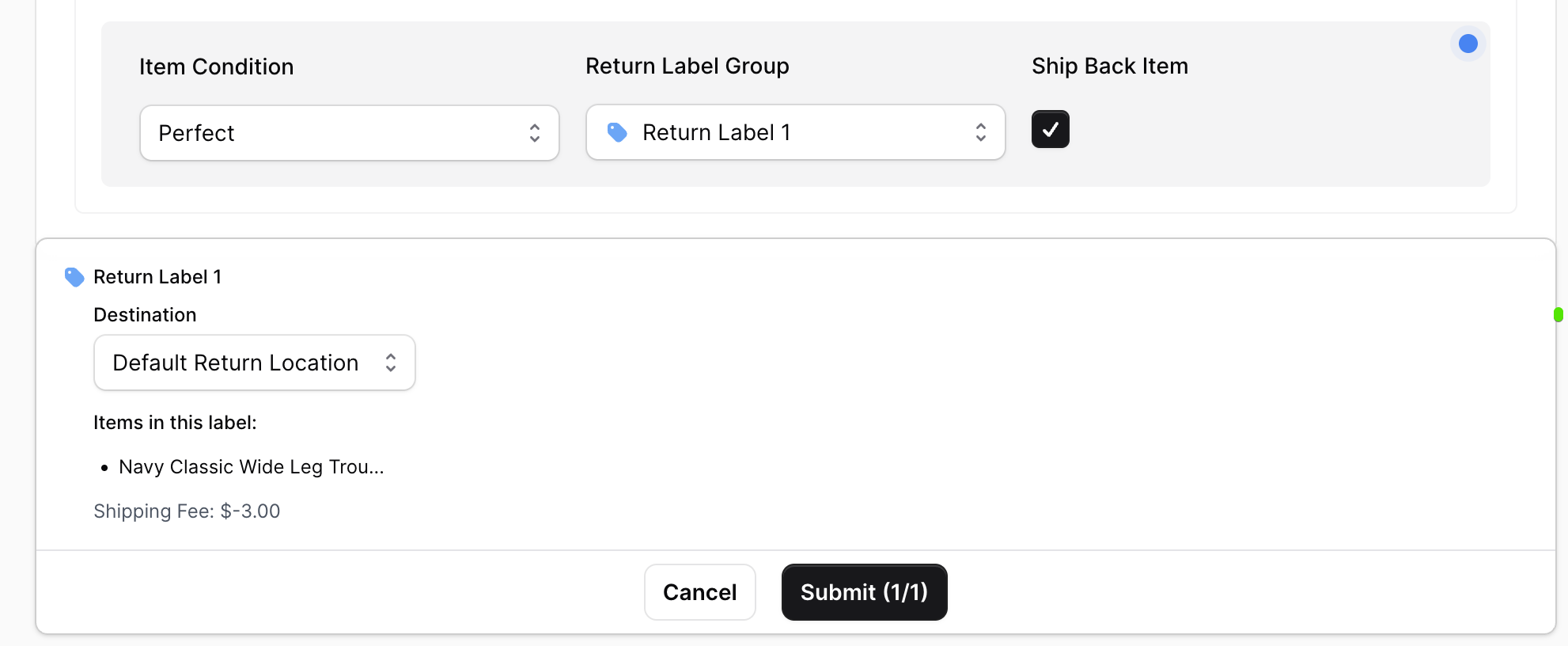
5. Review
- What it does: Begins the formal evaluation of the return.
-
Key actions:
- Select item condition based on the uploaded photos.
- Decide whether the customer should send the item back.
- If return shipping is required, assign the appropriate return label group and destination.
Complete State
Once the return process is finalized, either by fully refunding the customer or marking the return as refunded, the Complete option becomes available.
Complete
- What it does: Closes the return permanently.
- Finality: This is a non-reversible state, used when the return process is officially done.
By understanding and using these states effectively, merchants can maintain control over returns, ensure a smooth customer experience, and keep operations running efficiently.
Need more help? Reach out to our support team at support@frate.co