Route makes it easy for gift recipients to return or exchange items without needing to involve the original purchaser. When the Gift Returns feature is enabled, a convenient link appears in the merchant’s returns portal for customers looking to return a gift.
🔗 Step 1: Access the Gift Return Portal
On the merchant’s returns page, gift recipients will see a link that reads:
"Returning a gift? Click here"
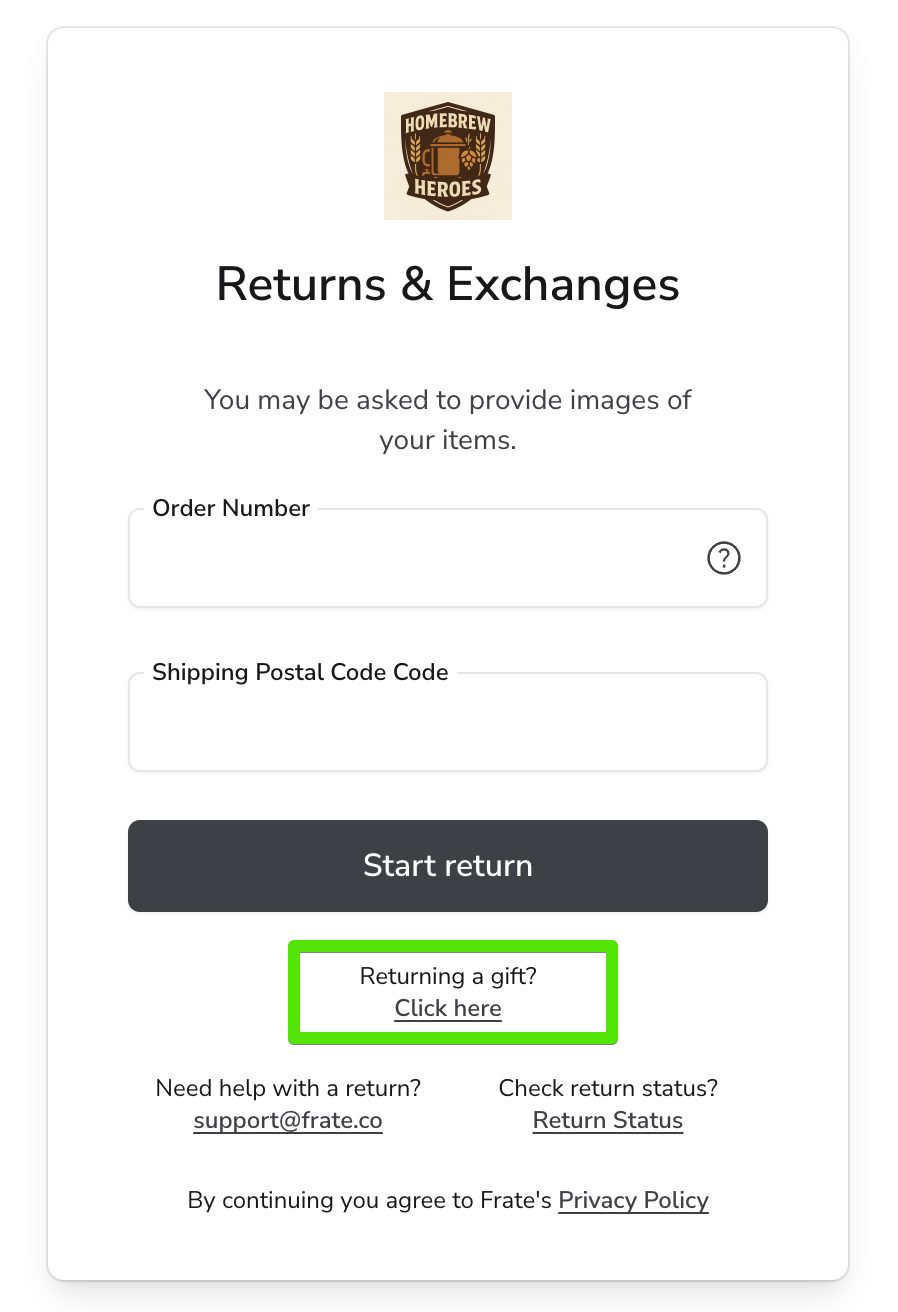
Clicking this link will take the recipient to a dedicated Gift Return screen.
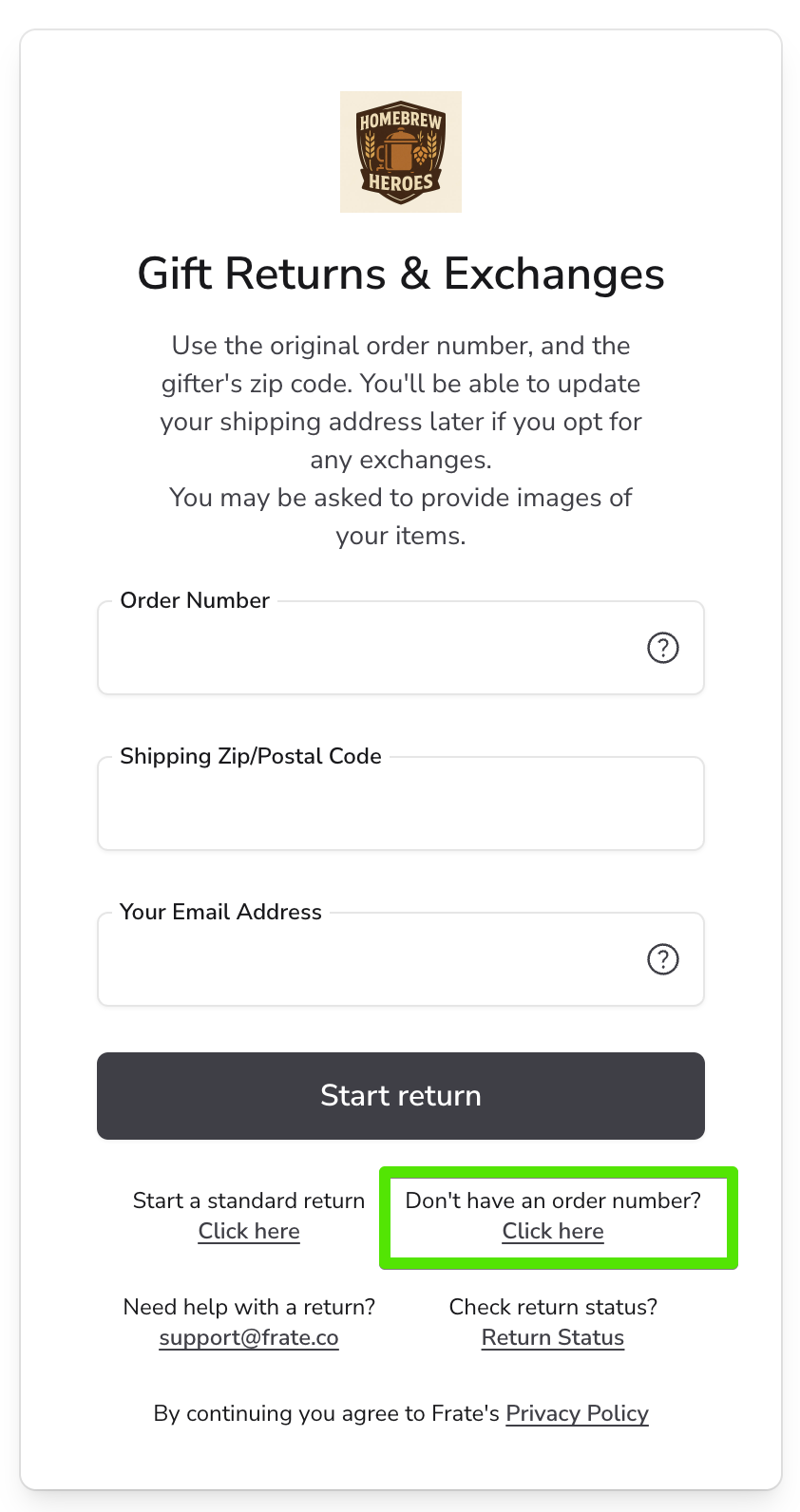
🧾 Step 2: Provide Order Information
To begin the return process, the recipient is prompted to enter:
- Order Number
- Shipping Postal/ZIP Code
- Recipient's Email Address (not the original purchaser's email)
If the recipient has this information, they can proceed just like a standard return with one key difference:
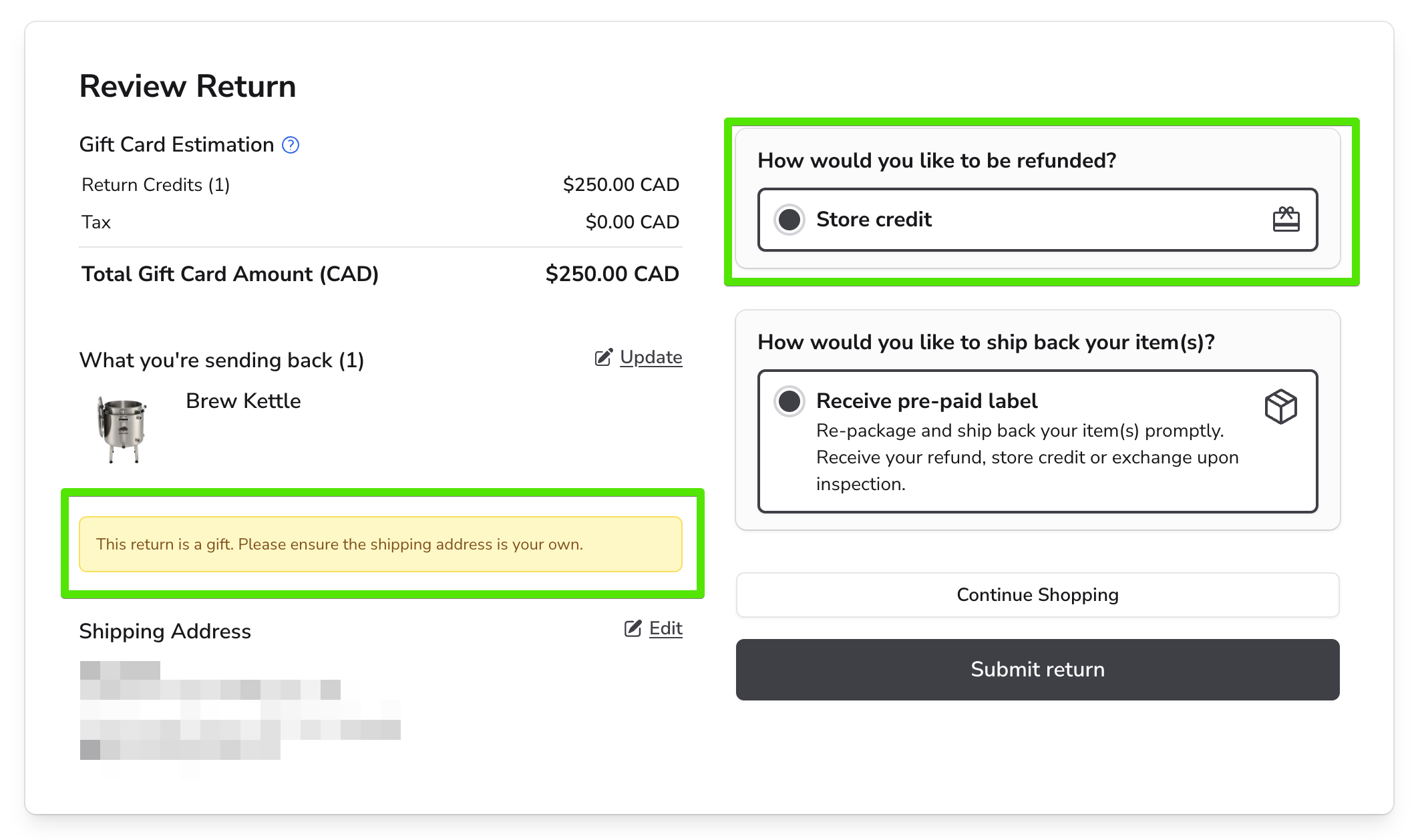
🔁 Only exchanges or store credit are available for gift returns. Refunds to the original payment method are not permitted.
Once validated, the return or exchange is processed as usual through Route's return workflow.
❓ No Order Info? No Problem.
If the recipient doesn’t have the order number or required shipping details, they can click:
"Don’t have an order number? Click here"
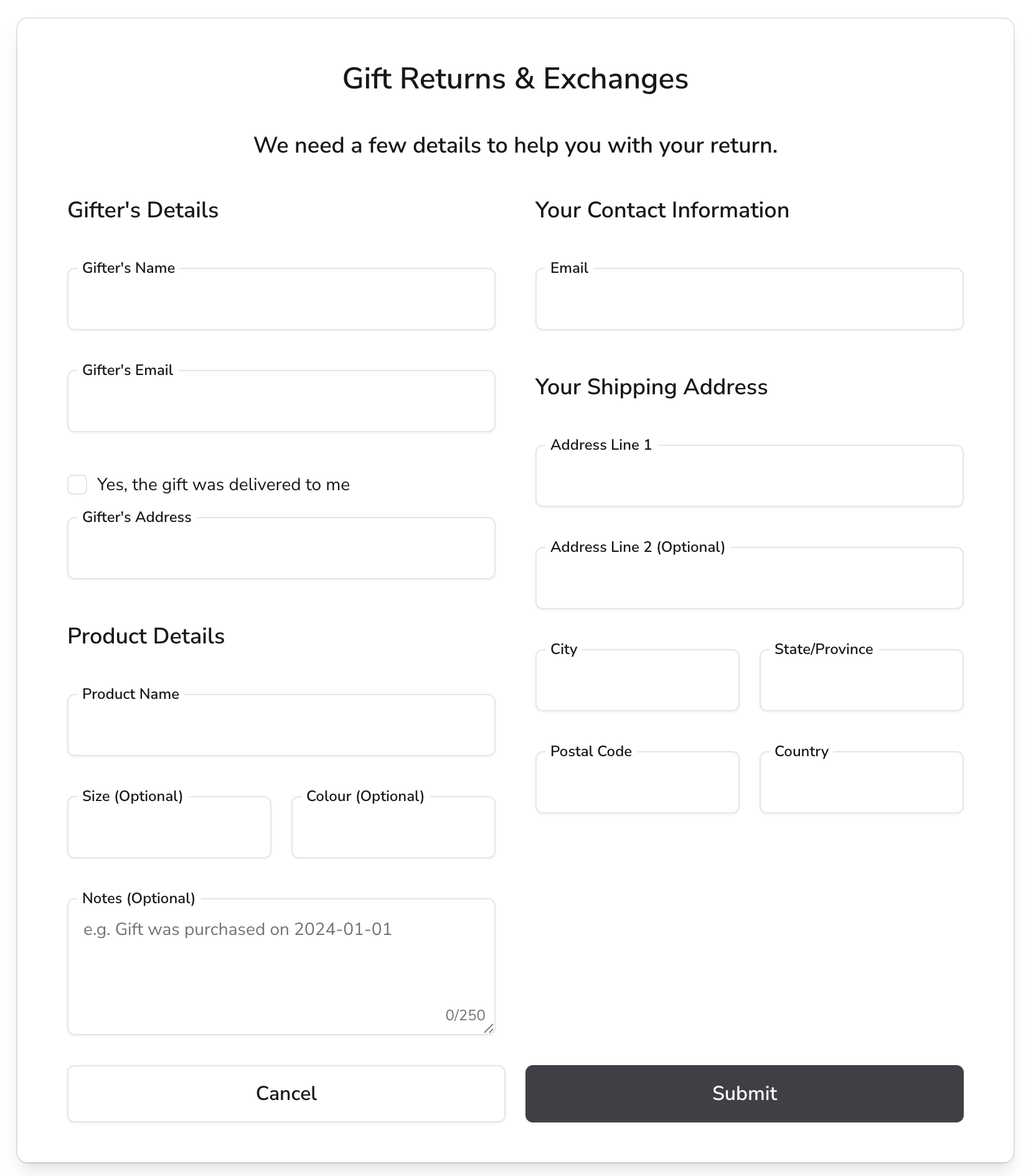
This opens an alternate submission form where the recipient can provide:
- Gifter’s Name
- Gifter’s Email Address
- Gifter’s Shipping Address
- Details about the Gifted Product
- Recipient’s Email Address
- Recipient’s Shipping Information
This form is submitted to the merchant for review.
🧑💼 Merchant Action
Once submitted:
- The merchant will attempt to locate the original order based on the provided details.
- If successful, the merchant can either:
- Process the gift return on the recipient’s behalf, or
- Contact the recipient with the necessary information so they can complete the return themselves.
🛍 How Exchange Orders Are Created in Shopify for Gift Returns
When a gift return is processed and results in an exchange order, Route ensures that this order is associated with the gift recipient, not the original purchaser. Here's how it works:
- Route will attempt to match the gift recipient's email address to an existing customer account in Shopify.
- If no matching customer account exists, Route will automatically create a new customer account for the gift recipient.
- This approach ensures that the exchange order is linked to the gift recipient, preventing any visibility of the return or exchange activity in the original purchaser’s account.
This distinction is especially important to preserve the privacy and surprise aspect of gift-giving. Without this separation, a gift giver might log into their customer account and unintentionally view details about the recipient’s return or exchange order.